XA Downloader - Video Saver
- 4.4
- Rating
- 10.00M
- Installs
- Free
- Price

 Analysis by App-foxy
I spent time with XA Downloader - Video Saver as a video player and downloading tool, paying particular attention to what happens when the quality of your connection changes. The app is made by RedFoxUnitedInc and is free to use, with a Teen content rating. Its basic promise is simple: help you save videos through available download options and play them back in the same general environment. In practice, the most important question is not just whether it can start a download, but how comfortable it is to use when you move between strong Wi-Fi, mobile data, and unreliable reception.
That focus matters because a video downloader is only as useful as the workflow around it. Choosing a resolution, waiting for a transfer, finding the saved file, and watching it later are separate moments. XA Downloader handles the idea in a straightforward way, but it also makes you think more carefully about where and when you begin a download. I would recommend it to someone who wants a simple video-focused utility rather than a full editing suite, while users expecting a polished media library or advanced creator tools may find it limited.
How the app feels when the connection is doing the work
The first thing to understand is that XA Downloader is closely tied to network conditions. Browsing for a video, selecting an available resolution, and beginning a transfer all depend on a working connection. When reception is good, the process feels direct: choose the video, pick a quality that suits the situation, and let the app handle the transfer. When the signal is weak, the experience becomes less predictable, and patience becomes part of the workflow.
You May Also Like

 Blood Strike: 2.5 Anniversary
Blood Strike’s Loadouts Turn Every Drop Into a Tactical Gamble
A close look at Blood Strike’s custom loadouts: how fast access to signature weapons reshapes its battle royale rhythm, rewards preparation, and narrows the gap between fights.

 Pandora - Music & Podcasts
Pandora’s Music Is Easy to Start, but Harder to Recover
Pandora’s strength is its low-effort path from a seed to a station. Its weak spot is how much confidence it asks you to place in connection, setup, and quiet recovery.

 8 Ball Pool
 Is Built on Rivalries, Rematches, and Routine
A close look at the rivalries, rematches, shared routines, and unanswered safety questions that turn a quick pool match into a persistent mobile community.

 Samsung Music
’s Quiet Strength Is Playing What You Already Own
Its reach comes less from spectacle than from dependable access to a personal library. That simplicity is both the app’s strongest retention engine and its ceiling.

 AccuWeather: Weather Radar
AccuWeather Review: A Quick, Clear Forecast for Everyday Decisions
For everyday plans, the best forecast is the one you can understand quickly. AccuWeather makes rain timing, radar, and local conditions easy to act on, with a few trade-offs.

 Hill Climb Racing
Why Hill Climb Racing Still Turns Crashes Into One More Run
A tiny car, a bumpy hill and one more upgrade: Hill Climb Racing keeps resurfacing because its simple chaos makes every near-miss feel personal.
More From Our News Desk



I found the resolution choices especially important. A higher-quality file can be attractive on a large phone screen, but it also takes more time and consumes more data. A smaller option is often the smarter choice for a short clip or a quick trip. This is not merely a technical setting; it is the control that connects image quality, waiting time, storage use, and your mobile plan. The best resolution is the one that matches how you will actually watch the video, not automatically the highest option shown.
On a stable Wi-Fi connection, starting a download is the least troublesome part of the experience. The app’s appeal comes from reducing the number of decisions needed to get from a video to playback. It is not trying to be a professional editor with timelines, effects, or complex export controls. That narrower purpose makes it easier to understand, especially for someone who wants a video player with downloading at its center.
The connection becomes more noticeable when you switch networks. Beginning a large transfer just before leaving home can create an awkward situation: the download may continue under mobile data, slow down sharply, or need attention after the network changes. I would make the resolution choice before starting and avoid treating the download button as something to press casually. A quick check of the connection can prevent an unnecessarily long wait or unwanted data use.
There is also a difference between downloading and watching. The initial access to a video is network-dependent, while playback is a separate stage. Once a file is available in the app’s playback environment, the practical experience is less about browsing and more about whether the video is easy to locate and start. That separation is useful, but it means you should plan ahead rather than opening the app only when you are already offline or in a poor-signal area.
A realistic commute workflow
Imagine leaving for a long commute and wanting something to watch on the way. The sensible routine is to prepare while connected to reliable Wi-Fi, select a moderate resolution, and wait until the transfer has clearly finished before leaving. I would then open the video once, check that it appears in the player, and only afterward put the phone away. That small verification step is more valuable than it sounds; it catches an incomplete or unsuccessful transfer before you are sitting on a train with limited reception.
For a short commute, a lower resolution may be perfectly acceptable, particularly if the phone has a smaller display or the content is mostly spoken material. For a long-form video, choosing a larger file may make sense if you care about detail, but it should be a deliberate decision. XA Downloader gives you that choice, yet it does not remove the trade-off. You still have to balance quality against time and storage.
This is where the app feels more useful than a basic streaming-only routine. Streaming is convenient when the connection is strong, but it can become frustrating in tunnels, crowded stations, or areas with inconsistent coverage. Preparing a video in advance changes the problem from “can I stream this right now?” to “did I prepare the right file earlier?” That is a better problem to have, although it requires a little discipline.
Using it on mobile data without losing control
Mobile data introduces a different kind of friction. A video can use far more data than a text page or a short audio clip, and the available resolution options make it easy to choose a file larger than you intended. I would avoid starting downloads on cellular data unless I had checked both the selected quality and the remaining allowance on my plan. The app is free, but free access does not mean the network transfer has no cost in practical terms.
A useful habit is to reserve higher-quality downloads for Wi-Fi and use a smaller option when the video is needed quickly. This is particularly sensible for reference clips, tutorials, or spoken content where maximum sharpness is less important than having the material available. If you are saving something to watch on a tablet or a larger screen, the calculation changes, and a higher resolution may be worth the extra transfer.
Another consideration is background activity. I would start an important download when I can keep an eye on the phone rather than assuming every transfer will behave perfectly while the app is out of sight. Network changes, battery-saving behavior, and interruptions can all make a long download less convenient. I am not saying every transfer will fail; the point is that large files deserve more attention than small ones.
People with limited storage should also think beyond the connection. A high-resolution video can occupy space quickly, and keeping several downloads without reviewing them can turn a useful tool into a storage problem. I recommend treating saved videos as a temporary queue: watch what you need, then remove files that no longer have a purpose. That simple routine keeps the app from competing with photos, music, and other important content.
What happens when a download is interrupted
Connectivity problems are where expectations need to stay realistic. A transfer can be interrupted by a weak signal, switching from Wi-Fi to cellular service, leaving the app at the wrong moment, or running out of available storage. The most practical response is to check the download state rather than immediately starting several copies of the same video. Duplicate attempts can waste time, data, and space without solving the original problem.
My preferred recovery routine is simple. First, confirm that the phone has a usable connection. Next, check whether the intended resolution is still sensible and whether there is enough storage. Then retry once, preferably on stable Wi-Fi. If the same video repeatedly causes trouble while other transfers work, I would stop treating it as a general connection issue and reconsider that specific source or file instead of endlessly repeating the action.
This is also why I would not build an urgent travel plan around a download that has not been tested. A video that appears in a list is not necessarily the same as a video that has completed successfully and is ready to play. Before leaving a reliable network, open the player and start the file briefly. That is a concrete safeguard for anyone using the app for flights, commutes, waiting rooms, or other places where connectivity may be poor.
The recovery experience is less appealing for users who expect a highly automated download manager. XA Downloader is easier to approach than a complicated utility, but that simplicity means you may need to take responsibility for choosing a suitable quality and checking the result. I see this as a fair trade for casual use, but it is a genuine limitation for people managing many large files at once.
Playback after the network is no longer the main concern
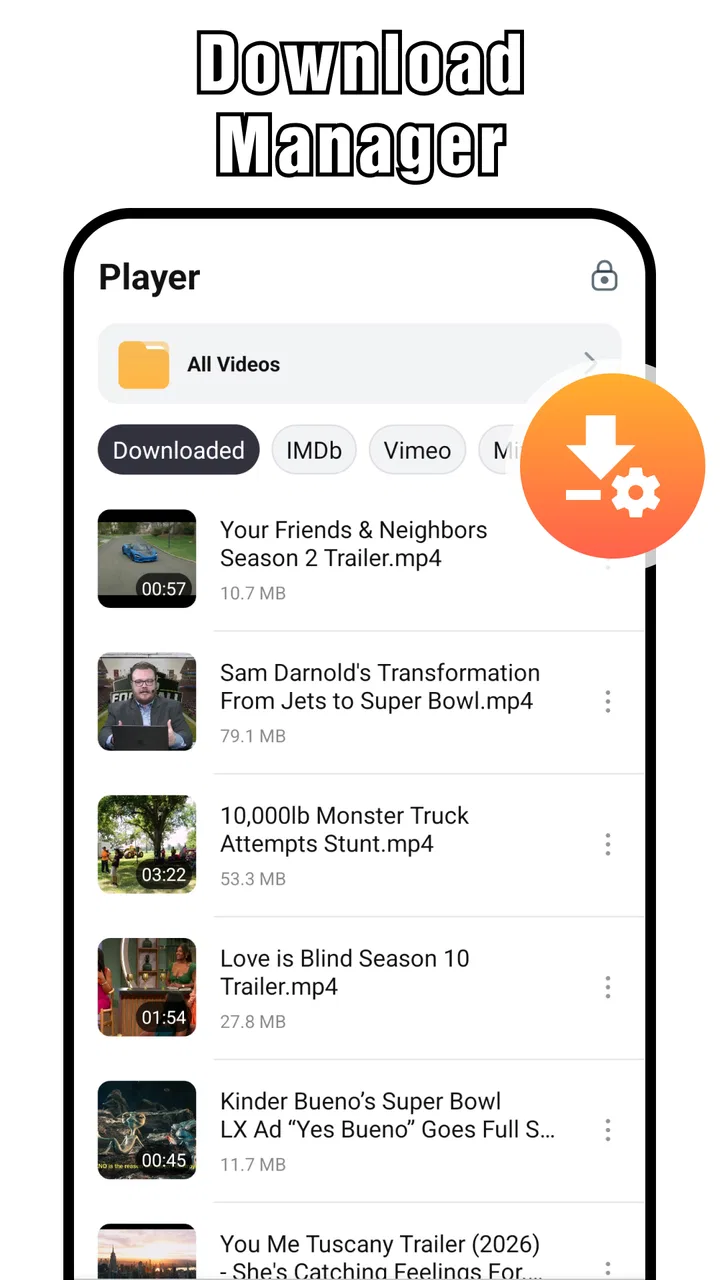
The built-in video player gives the app a more complete purpose than a downloader alone. After the transfer stage, you can focus on watching rather than returning to the original browsing process. This is useful when you want one place for the saved video and its playback, especially on a phone where switching between multiple apps can feel cumbersome.
Still, I would not confuse a dedicated video player with a full media-management system. People who maintain a large personal collection, expect detailed library organization, or need advanced playback controls may prefer a specialized player. XA Downloader makes more sense for a focused set of saved videos than for replacing every media tool on your device.
The player is most valuable in situations where the network is no longer dependable. A prepared video can be more comfortable to watch than a stream that repeatedly pauses, but that benefit depends entirely on completing the earlier download. This is the central pattern of the app: connectivity matters heavily at the beginning, then matters much less during the actual viewing session.
Who will get the most from XA Downloader
I think the app suits people who regularly move between connected and poorly connected environments. Commuters, travelers, students reviewing video material, and viewers who prefer preparing content before going out can all understand its appeal. It is also approachable for someone who does not want a large editing application filled with tools they will never use.
The free price lowers the barrier to trying it, and the current version, 1.8.7, runs on Android 8.0 or later. That makes it relevant to people who keep an older Android phone rather than upgrading frequently. Its popularity is also substantial, with over ten million installs and an average rating of 4.4 from around one hundred forty thousand ratings. Those figures suggest that the basic idea has broad appeal, although they should not replace your own judgment about how you use video.
The Teen rating is worth keeping in mind for families. I would not hand the app to a younger child without supervision simply because it is a video utility. The content encountered through any video-focused tool depends on what the user searches for or accesses, so parents should consider the app’s role and the child’s habits rather than looking only at the download function.
On the other hand, I would skip it if your main goal is editing. There is a major difference between saving and playing videos and cutting clips, adding captions, mixing audio, or exporting polished social media projects. A creator who needs those functions will be better served by an editor designed around a timeline. XA Downloader is not the right replacement for that category.
How it compares with ordinary streaming and other tools
Compared with normal streaming, XA Downloader asks for more preparation but can make poor-connectivity viewing less stressful. Streaming wins when you want instant access and do not want to manage files. The downloader wins when you know what you want to watch and can prepare it before the connection deteriorates. Neither approach is universally better; the choice depends on whether convenience now or control later matters more.
Compared with a dedicated download manager, this app feels more focused on the video experience. That can be an advantage for casual users who do not want queues, technical settings, and file-management complexity. A dedicated manager may be preferable for people handling many transfers, monitoring detailed progress, or organizing different file types. XA Downloader’s narrower design is easier to understand, but it may feel restrictive to power users.
Compared with a full media player, it combines access to video downloading with playback rather than concentrating only on local files. That combination is convenient for a small personal viewing workflow. A specialist player remains the better choice if your priorities are extensive library tools or advanced playback customization. I would use XA Downloader as a practical video utility, not assume it should replace every other app in the chain.
Small habits that make the experience better
My first tip is to choose quality according to the screen and the situation. Do not automatically pick the largest option for a short clip that will be watched on a phone. The extra detail may be difficult to notice, while the longer transfer and larger file are easy to notice.
My second tip is to verify important downloads before leaving Wi-Fi. Open the player, start the file, and make sure it behaves as expected. This is especially useful for travel because it separates a network problem from a playback problem while you still have time to fix it.
My third tip is to keep a deliberate storage routine. After watching, remove videos that were saved for a single occasion. If you keep a reference library, organize your own expectations around a small number of useful files rather than allowing every download to accumulate.
My fourth tip is to retry intelligently. If a transfer fails, do not immediately increase the resolution or launch multiple copies. Check the connection, storage, and selected quality first. A smaller file on dependable Wi-Fi is often a better solution than a larger file attempted repeatedly under poor conditions.
Finally, think of the app as a preparation tool. Its strongest use is not rescuing a video at the last second in a dead zone; it is helping you prepare something sensible while the network is available. That change in mindset makes the experience more reliable and reduces the temptation to blame the player for a download that was never completed.
My connectivity verdict
After using XA Downloader in the way most people will, I see it as a clear, focused option for saving and playing videos when you want more control than ordinary streaming provides. Its multiple resolution choices are genuinely useful, but they require judgment about data, storage, and viewing conditions. The app does not make connectivity irrelevant; it helps you work around unreliable connectivity by preparing content at a better moment.
I would recommend it to Android users who want a free video downloader with an integrated player and who are comfortable checking downloads before heading offline or into a weak-signal area. The combination of a straightforward purpose, support for Android 8.0 and later, and a large existing user base makes it easy to consider.
I would choose something else for advanced video editing, extensive media-library management, or highly automated download control. For everyone else, the deciding question is simple: do you regularly know what you want to watch before the connection becomes inconvenient? If the answer is yes, XA Downloader - Video Saver can fit neatly into that routine. Its real strength is not promising a perfect connection; it is helping you use a good connection wisely before you need the video.
FAQs for XA Downloader - Video Saver
01What platforms does XA Downloader - Video Saver support?
XA Downloader - Video Saver is available for both Android and iOS devices. It is designed to work seamlessly across different versions of these operating systems, providing a consistent user experience whether you're using a tablet or a smartphone.
02Does XA Downloader - Video Saver support downloads from all websites?
The app supports a wide range of popular video streaming sites. However, some websites may have restrictions or legal barriers that prevent downloading. It's always recommended to check the terms of service of the website you're downloading content from to ensure compliance.
03Is it legal to download videos using XA Downloader - Video Saver?
While XA Downloader - Video Saver facilitates downloading videos, the legality depends on the content and the source. It’s crucial to ensure that you have the right to download and store content from the websites you visit. Respecting copyright laws is essential when using this app.
04Are there any in-app purchases or ads in XA Downloader - Video Saver?
Yes, XA Downloader - Video Saver may contain ads, which help support the app's development. There might also be in-app purchases available to unlock premium features or remove ads, providing a more streamlined user experience.
05What are the key features of XA Downloader - Video Saver?
XA Downloader - Video Saver offers high-speed downloads, support for multiple video formats, and a user-friendly interface. It also includes options for batch downloading and background downloading, allowing users to save time and manage their downloads efficiently.
Pros
- Supports multiple video formats.
- Fast downloading speeds.
- User-friendly interface.
- No registration required.
- Free to use.
Cons
- Contains ads.
- No built-in video player.
- Limited file management options.
- Requires internet connection.
- No batch download feature.

XA Downloader - Video Saver
Gallery